

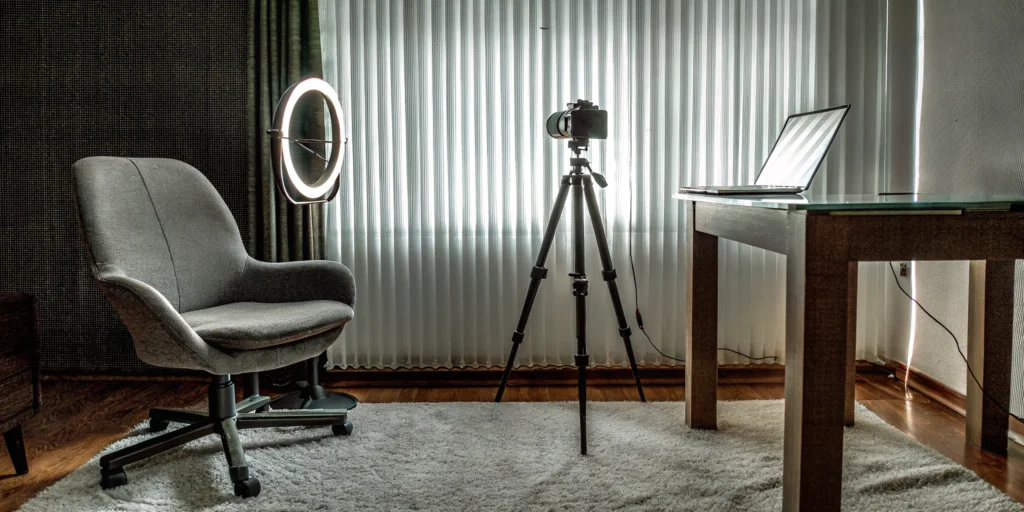

Every event you plan is an investment, and you want the highest possible return. You spend time and resources creating an incredible experience, but its reach is often limited to the number of people who can physically attend. By integrating live streaming, you transform a one-time event into a powerful marketing asset. You can reach a wider audience, capture valuable leads, and create content that lives on long after the day is over. This guide will show you how to approach live streaming from a strategic perspective, helping you select the platform and features that align with your business goals and deliver measurable results.
Key Takeaways
- Choose Your Platform Strategically: Your success depends on reaching the right people in the right context. Select a platform based on where your audience already is and what type of content you’re creating, whether it’s a professional panel on LinkedIn or a behind-the-scenes look on Instagram.
- Prioritize Your Tech and Content Plan: A flawless stream looks effortless because of the work done beforehand. Ensure a stable internet connection, clear audio, and a simple content outline to keep your broadcast smooth and your message on track.
- Make It a Conversation, Not a Broadcast: The power of live video is its immediacy. Actively engage your audience by responding to comments, asking questions, and running polls to create an interactive experience that makes viewers feel seen and encourages them to stay.
What is Live Streaming?
Live streaming is when you broadcast video and audio over the internet in real-time. Think of it as the digital version of a live television broadcast. Unlike the polished, pre-recorded videos you scroll through on social media, a live stream is happening right now. This immediacy is what makes it such a powerful tool for connection. It creates a direct, unfiltered line to your audience, allowing for genuine interaction and engagement as events unfold. For any gathering, this means you can extend your reach far beyond a physical venue, bringing the energy and key moments of your conference, gala, or product launch to a global audience. It’s all about sharing an experience, live and unedited.
How Does It Work?
You might think the technology behind live streaming is complex, but the basic concept is pretty straightforward. It all starts with a camera and a microphone capturing your event. That audio and video data is then compressed and sent to a live streaming platform, like YouTube or Facebook Live. The platform acts as the broadcaster, sending your stream across the internet to your viewers’ devices—whether they’re watching on a laptop, tablet, or phone. Think of it as a digital relay race: your camera passes the baton to the platform, which then sprints to deliver it to your audience instantly. The entire process of transmission happens in a matter of seconds, creating that seamless, real-time experience.
What Can You Stream?
The short answer? Almost anything. Live streaming has moved far beyond just gamers and social media influencers; it’s an incredibly versatile tool for businesses and event hosts. You can stream major corporate events like conferences, panel discussions, and product launches to reach employees or customers who can’t attend in person. It’s perfect for hosting interactive Q&A sessions with experts, giving behind-the-scenes tours of your venue, or broadcasting a charity gala to encourage donations. Even personal celebrations like weddings or bar mitzvahs can include a live stream component for guests who are far away. If you have a message to share or an experience to create, live streaming can help you do it.
The Top Live Streaming Platforms
Choosing where to host your live stream is one of the most important decisions you’ll make. The right platform can connect you with a built-in audience ready to engage, while the wrong one might feel like shouting into the void. Each service has its own unique culture, features, and audience demographics. Think of it like picking a venue for a physical event—you wouldn’t host a corporate gala in a coffee shop, and you wouldn’t hold a casual meet-and-greet in a massive convention center.
The best choice depends entirely on your goals. Are you trying to reach the widest possible audience, connect with a niche community, or host a private, high-production corporate event? Understanding who you want to talk to and what you want to achieve will point you toward the perfect digital stage. Let’s look at some of the most popular options and what they do best.
YouTube Live
As the second-largest search engine in the world, YouTube offers incredible reach. YouTube Live is integrated directly into the platform, allowing anyone with a verified account to broadcast to a global audience. Because streams are automatically saved and indexed as regular videos, your content continues to attract viewers long after the live event is over. This makes it an excellent choice for product demonstrations, educational webinars, and Q&A sessions where the information has lasting value. The platform’s robust infrastructure supports high-quality streams, and features like live chat and Super Chat give you tools to interact with and even monetize your audience in real time.
Facebook Live
If your goal is to connect with an existing community, Facebook Live is a fantastic tool. It allows you to broadcast directly from your brand’s page or personal profile, instantly notifying your followers that you’ve gone live. This immediate access to your audience makes it perfect for creating a sense of intimacy and urgency. The platform thrives on real-time interaction through comments and reactions, making it ideal for behind-the-scenes content, major announcements, and community-building events. Since most of your audience is likely already on Facebook, the barrier to entry is incredibly low, encouraging casual viewing and spontaneous engagement.
Twitch
While Twitch built its reputation as the go-to platform for video game streaming, it has since grown to include a wide range of content, from music and talk shows to creative arts. Its strength lies in its deeply engaged, community-focused user base. Twitch is less of a broadcast platform and more of an interactive social space. Features like custom emotes, channel subscriptions, and a lively chat culture encourage viewers to become active participants rather than passive observers. If your event has a strong entertainment or niche focus—like a live DJ set for a virtual party or a creative workshop—Twitch offers a dedicated audience that values authenticity and direct interaction.
Instagram Live
Instagram Live is all about immediacy and personal connection. As part of Instagram Stories, it’s designed for mobile-first, in-the-moment broadcasting that feels spontaneous and authentic. This makes it perfect for influencer takeovers, quick Q&As, and behind-the-scenes glimpses of your event. Viewers can engage through comments and reactions, and the Live Rooms feature allows you to bring up to three other guests on screen for collaborative interviews or panel discussions. Because the streams typically disappear after 24 hours, there’s a built-in urgency that encourages followers to tune in right away so they don’t miss out.
LinkedIn Live
For any professional or B2B event, LinkedIn Live is the premier choice. The platform is designed specifically for professional networking, making it the ideal venue for streaming content to an audience that is already in a business mindset. It’s perfectly suited for webinars, industry panels, product launches, and thought leadership presentations. Broadcasting on LinkedIn allows you to engage directly with your professional network, positioning your brand as an authority in its field. The context of the platform ensures that your content reaches a relevant audience of peers, potential clients, and industry leaders, making it a powerful tool for marketing your expertise.
Vimeo Livestream
When you need a polished, professional, and highly customizable streaming solution, Vimeo Livestream is the answer. This platform is built for businesses and creators who require high-quality streaming without the distractions of a social media feed. Vimeo offers an ad-free experience, advanced privacy controls, password protection, and detailed analytics, giving you complete command over your broadcast. It’s the perfect choice for ticketed virtual events, internal company-wide meetings, and premium webinars where production quality and a seamless viewer experience are top priorities. It’s less about public discovery and more about delivering a flawless stream to a designated audience.
Key Features to Look For in a Streaming Service
Choosing the right streaming service is about more than just finding a platform that can broadcast your video. The best services offer a suite of tools designed to help you connect with your audience, understand your impact, and achieve your event goals. Whether you’re hosting a corporate town hall, a product launch, or a charity gala, the platform you choose can make or break the experience for your virtual attendees. As you compare your options, think about which features will best support your specific event. Look for a service that not only provides a stable stream but also empowers you to create a professional, interactive, and memorable virtual experience. From audience engagement tools to detailed analytics, the right features will help you turn a simple broadcast into a truly successful event.
Engaging Your Audience
A live stream shouldn’t be a one-way conversation. The best platforms allow you to interact with your audience in real time, which is key to keeping people tuned in. Look for features like live chat, Q&A sessions with upvoting capabilities, and interactive polls. These tools transform passive viewers into active participants, making them feel like they’re part of the event, not just watching it from a distance. For hybrid events, this is especially important for bridging the gap between your in-person and virtual attendees. When your audience can ask questions and share feedback instantly, you create a more dynamic and valuable experience for everyone involved.
Measuring Your Success
How do you know if your live stream was a success? The answer is in the data. A great streaming service provides detailed analytics that give you a clear picture of your event’s performance. You should be able to track key metrics like peak viewership, total unique viewers, average watch time, and audience demographics. This information is invaluable for demonstrating ROI to stakeholders and understanding what content resonated most with your audience. With robust live stream analytics, you can make data-driven decisions to improve your future events and fine-tune your content strategy.
Streaming to Multiple Platforms
Why stream to just one platform when you can reach audiences on several at once? This practice, known as multistreaming, allows you to broadcast your event simultaneously to different social media sites like YouTube, Facebook, and LinkedIn. It’s a powerful way to maximize your reach and meet your audience where they already are. Many modern streaming services have built-in multistreaming capabilities, making it easy to manage from a single dashboard. This feature is perfect for brand awareness campaigns, public announcements, and any event where you want to attract the largest possible audience without extra effort.
Ensuring High-Quality Video
Nothing makes a viewer click away faster than a pixelated, buffering stream. Your event’s professionalism is directly reflected in the quality of your video, so don’t compromise on it. Look for a service that guarantees high-definition (HD) or even 4K streaming with adaptive bitrate technology. This ensures viewers receive the best possible quality their internet connection can handle. It’s also important to consider latency—the delay between when you perform an action and when your audience sees it. A platform that minimizes latency helps make real-time interactions feel more natural and immediate, avoiding common technical challenges.
Monetizing Your Content
Your live stream can be more than just a marketing tool; it can also be a direct source of revenue. If you’re planning a ticketed conference, a paid workshop, or a fundraising gala, you’ll need a platform with monetization features. Look for services that support pay-per-view access, ticketing integrations, or virtual tip jars. Some platforms also allow for sponsor placements, like branded overlays and pre-roll video ads, giving you another way to fund your event. Having these tools built into your streaming service simplifies the process and helps you effectively monetize your content and events.
What’s the Cost of Live Streaming?
The cost of going live can vary widely, from completely free to a significant investment. It all depends on your goals, the features you need, and the scale of your event. Understanding the different pricing tiers will help you find the right fit for your budget and your audience, whether you’re hosting a small Q&A or a large-scale hybrid conference. Let’s break down the common cost structures you’ll encounter.
Free Platforms
You can start live streaming without any upfront cost using popular social media platforms. Services like YouTube Live and Facebook Live let you broadcast directly from your account for free, making them an excellent entry point. This is a fantastic way to test your content ideas, build an audience, and get comfortable in front of the camera without a financial commitment. While these platforms are powerful, they may offer less customization and control over branding compared to paid services. They are perfect for creators, small businesses, and anyone looking to integrate live video into their marketing strategy.
Paid Subscription Plans
When you’re ready for more features and a more professional look, paid subscription plans are the next step. Platforms like Vimeo Livestream offer monthly or annual plans that provide higher-quality streaming, better analytics, and more branding control. These services are designed for businesses and creators who need reliable tools for virtual events, webinars, or company-wide meetings. With a paid plan, you typically get access to dedicated support and advanced features like password-protected streams and the ability to embed your video player on your own website. This tier is ideal for organizations that regularly use live video as part of their communication strategy.
Custom Enterprise Solutions
For large-scale events and organizations with specific security and support needs, custom enterprise solutions are the way to go. These top-tier plans are tailored to your company’s exact requirements, offering features like enhanced security, dedicated technical support, and seamless integration with your existing tools. This is the solution for major corporate events, global conferences, or any broadcast where performance and reliability are non-negotiable. Pricing is typically quote-based, as the service is built around your unique needs. You’ll work directly with the provider to create a package that ensures a flawless, professional streaming experience for your audience.
Pros and Cons of the Top Platforms
Choosing a platform is a big decision, and each one comes with its own set of strengths and potential hiccups. It’s not about finding a perfect platform, but about finding the one that’s the perfect fit for your event and your audience. Let’s break down what makes each of the top contenders shine and what you should keep an eye on before you go live.
The Upsides of Each Platform
Each platform offers unique advantages that cater to different goals. YouTube Live is fantastic for building a community, as it lets you broadcast live, interact with comments, and save streams for anyone who missed them. Facebook Live taps into its massive user base, making it easy to share videos and get reactions from your existing followers. For a more niche, highly engaged audience, Twitch is the go-to for gaming, but it’s also growing in music and “in real life” streams. If you’re planning corporate events or webinars, Vimeo provides professional-grade services for a polished virtual experience. And for maximum reach, tools like Be.Live let you multistream, sending your broadcast to several social media sites at once.
Potential Downsides to Watch For
No matter which platform you choose, you might run into a few common hurdles. Technical issues are at the top of the list; things like inconsistent streaming quality or latency—that annoying lag between your action and when your audience sees it—can pop up. A platform with a complicated user interface can also create a frustrating experience for you and your viewers. Poor video quality or constant buffering, often caused by slow connection speeds, can make people tune out. Finally, be aware that some platforms have content restrictions that might limit your creative freedom. The key is to anticipate these potential challenges and have a plan to address them.
Your Essential Live Streaming Gear
Before you go live, let’s talk about gear. You don’t need a full production studio, but a few key pieces of equipment will make the difference between a pixelated stream and a professional broadcast. Think of this as your foundational toolkit. Getting these three areas right—camera and audio, internet, and software—ensures your message is delivered clearly. Investing a little time in your setup pays off with a smooth, engaging experience for your viewers.
Camera and Audio
Your stream begins with what your audience sees and hears. While your computer’s built-in webcam and microphone are a starting point, upgrading them is the best thing you can do for your stream’s quality. Viewers will forgive a slightly grainy video, but they won’t stick around for muffled audio. A simple external USB microphone can dramatically improve clarity, while a dedicated HD webcam provides a much sharper image. The goal is to make viewers feel like they’re in the room with you, and high-quality audio and video production is the first step.
Internet Speed
Your internet connection is the backbone of your live stream. A slow connection leads to buffering, dropped frames, and a frustrated audience. The most important metric is your upload speed, which determines how smoothly your video data is sent. For a stable HD stream, aim for an upload speed of at least 6 Mbps. For the most reliable connection, plug your computer directly into your router with an Ethernet cable instead of using Wi-Fi. Before every stream, run a quick internet speed test to confirm you have the bandwidth you need.
Software and Hardware
To give your stream a polished feel, use streaming software. Programs like StreamYard or OBS Studio act as a control room for your broadcast, letting you add graphics, switch camera angles, and share your screen. This is essential for creating dynamic virtual or hybrid events. Many of these tools also offer multistreaming, which lets you broadcast to multiple platforms like YouTube and Facebook simultaneously. This simple addition to your workflow can significantly expand your reach and make your event feel like a high-quality production.
Overcoming Common Live Streaming Challenges
Even the most seasoned event planners know that with any live production, you have to expect the unexpected. Live streaming is no different. While the potential for a wider reach is huge, going live comes with its own set of unique hurdles. The good news is that most common issues can be managed, or even avoided altogether, with a bit of foresight and preparation. Think of it less as a crisis waiting to happen and more as an opportunity to show how well-prepared you are.
The challenges you might face generally fall into two categories: the technical side of things and the human element of keeping your audience tuned in. On the tech front, you’re dealing with internet connections, video quality, and the software that makes it all happen. On the audience side, you’re competing for attention in a very crowded space. The key isn’t to hope nothing goes wrong, but to have a plan for when it does. By anticipating potential glitches and planning your content to be as engaging as possible, you can create a smooth and professional live stream that feels effortless to your viewers.
Solving Technical Glitches
Nothing stops a live stream in its tracks faster than a technical problem. Choppy video, buffering, or a complete drop in connection can cause viewers to click away instantly. Most of these technical streaming challenges boil down to one thing: your internet connection. Before you even think about going live, run a speed test, paying close attention to your upload speed—that’s what determines the quality of the stream you’re sending out. For maximum stability, always use a wired ethernet connection instead of relying on Wi-Fi. It’s also a good practice to close any unnecessary applications on your computer to dedicate as much bandwidth as possible to your stream. A little prep here goes a long way.
Keeping Your Audience Hooked
Once your tech is solid, your next focus is holding your audience’s attention. Simply pointing a camera and talking isn’t enough. The magic of live streaming is the real-time interaction, so you need to build that into your plan. The key is crafting compelling content that invites participation. Acknowledge viewers by name as they join, respond to comments as they come in, and run polls or Q&A sessions to make them feel like part of the event. Think of it as a two-way conversation, not a one-way broadcast. By actively engaging with your audience, you create a community around your stream and give people a reason to stick around until the very end.
How to Choose the Right Platform for You
With so many options available, picking the right live streaming platform can feel like a huge decision. The key is to think less about which platform is “best” and more about which one is the best fit for your specific event and audience. Your choice will shape the viewer experience, your ability to engage with them, and the overall success of your stream. By considering your content, audience, and budget, you can confidently select a platform that aligns perfectly with your goals, whether you’re hosting a major corporate conference or an intimate charity gala. This strategic approach ensures your message not only reaches your audience but also resonates with them in a meaningful way.
Match the Platform to Your Content
The type of event you’re hosting should be your primary guide. A platform that’s perfect for a casual Q&A might not have the professional polish needed for a high-stakes product launch. Think about the tone and format of your content. Are you planning a formal panel discussion for industry leaders? LinkedIn Live is designed for that professional context. If you’re showcasing a new fashion line or giving a behind-the-scenes tour of a venue, the visual, fast-paced nature of Instagram Live is a better fit. Choosing a platform that aligns with your content ensures the audience’s expectations match the experience you deliver, creating a more seamless and engaging event.
Know Where Your Audience Is
You can have the most amazing content, but it won’t matter if your target audience isn’t there to see it. Before you commit to a platform, you need to understand where your viewers spend their time online. Go beyond basic demographics and consider their digital habits. If you’re planning a corporate event, your attendees are likely active on LinkedIn. For a community fundraiser or a public-facing brand announcement, Facebook Live might offer broader reach. Dig into your existing social media analytics or even survey past attendees to get real data. This research is a crucial part of any successful marketing strategy and ensures you’re broadcasting where your audience is already listening.
Balance Your Budget and Needs
Your platform choice needs to make sense financially and functionally. While free platforms like YouTube Live and Facebook Live are fantastic for getting started, they may lack the advanced features required for more complex events. If you need multi-camera support, high-end security, or detailed analytics for a large-scale hybrid function, investing in a paid subscription service like Vimeo Livestream might be necessary. Consider your must-have features against your budget. Regular live streaming creates a powerful touchpoint for engagement, so think about which platform will best support your long-term goals for connecting with your community without straining your resources.
Best Practices for a Flawless Live Stream
A great live stream looks effortless, but behind the scenes, it’s all about smart preparation. You don’t need a Hollywood budget to produce a professional broadcast, but you do need a solid plan. By focusing on a few key areas, you can create an experience that’s smooth for you and engaging for your audience. Think of it as building a successful event: it all comes down to the details.
Getting your strategy right involves three main pillars: planning your content, interacting with your audience, and making sure your technology is ready for its close-up. Nailing these elements will help you avoid common pitfalls and host a live stream that truly connects with your viewers. Let’s walk through how to get each part right.
Plan Your Content
The most engaging live streams feel spontaneous, but they are almost always guided by a clear plan. Before you even think about hitting the “Go Live” button, you need to know what you want to achieve. Setting clear objectives will guide the content of your live stream and the way you engage with your audience. Are you launching a product, hosting a Q&A, or sharing a behind-the-scenes look at your company? Your goal will shape the entire broadcast.
Create a simple outline or a run-of-show with a beginning, middle, and end. This doesn’t have to be a word-for-word script, but it should map out your key talking points and your call to action. This structure will keep you on track and ensure you deliver a focused, valuable message. A well-thought-out content strategy is a core part of any successful marketing initiative, and live streaming is no exception.
Engage with Viewers in Real-Time
Live streaming’s superpower is its immediacy. Unlike pre-recorded video, it’s a two-way conversation happening right now. Live streaming enables brands to interact with their audience in real time, allowing for instant feedback, Q&A sessions, and audience participation. This is your chance to build a genuine connection with your community, so don’t let it pass you by.
Make a point to welcome people as they join and give shout-outs to viewers who leave comments. Have a dedicated person on your team to moderate the chat and feed you questions, so you can answer them live on air. You can also use platform features like polls to get instant feedback. When you make your audience feel seen and heard, they’re far more likely to stick around. This is especially vital for hybrid events where engaging both in-person and virtual attendees is key.
Optimize Your Tech Setup
Nothing makes viewers click away faster than a glitchy, hard-to-watch stream. Technical issues like a slow connection, poor video quality, or buffering can derail even the best content. Challenges live streamers could potentially face include inconsistent streaming quality, the realities of latency, and device compatibility. That’s why a full tech rehearsal is non-negotiable.
Before your event, test every piece of your setup. Check your internet speed—a wired ethernet connection is always more reliable than Wi-Fi. Make sure your camera is stable and well-lit, and that your audio is crisp and clear. A simple external microphone is one of the best investments you can make for improving your stream quality. By sorting out the tech ahead of time, you can focus on what really matters: delivering great content and connecting with your audience.
Ready to Go Live? Your First Steps
Feeling the pre-show jitters? That’s completely normal, especially when you’re about to put yourself or your event out there live. The good news is that a little preparation goes a long way in making your first live stream a success. Once you’ve picked your platform and gathered your essential gear, there are just a couple more steps before you can hit that ‘Go Live’ button with confidence. Think of this as your final soundcheck—a chance to make sure everything is perfectly in place for a smooth, professional broadcast that will captivate your audience. Taking the time to properly configure your account and do a final run-through can be the difference between a stressful, glitchy stream and a seamless experience for both you and your viewers. Let’s walk through the final steps to get you ready for your debut.
Set Up Your Account
Getting your account ready to stream is often simpler than you might think. You don’t need complicated software right away; your phone or computer’s webcam is all you need to get started. Let’s use YouTube as an example. Before you can broadcast, you’ll need to enable live streaming on your channel. Head over to YouTube Studio, click on ‘Settings,’ then ‘Channel,’ and make sure both ‘Standard’ and ‘Intermediate’ features are enabled. Here’s the key part: after you verify your account, you’ll need to wait 24 hours before you can go live for the first time. Be sure to plan for this delay to avoid any day-of surprises for your event.
Run Through Your Pre-Stream Checklist
Never go on stage without a dress rehearsal. Before you hit the live button, running through a quick pre-stream checklist is essential for a polished broadcast. First, map out your content. What’s your opening line? What is the main goal of your stream, and what do you want viewers to do at the end? Next, always run a private test stream. This is your chance to check your lighting, sound, and internet connection without an audience. During the stream, you’ll have tools at your fingertips like a viewer count and a live chat to help you engage your audience. Getting familiar with these features beforehand will help you feel much more comfortable and in control when you’re live.
Related Articles
- Hybrid Event Technology: The Ultimate 2025 Guide
- 10 Best Virtual Event Platforms (2025 Review)
- The 10 Best Hybrid Event Platforms for 2025
- 5 Examples of Hybrid Events That Nailed It
- How to Choose Hybrid Event Production Companies
Frequently Asked Questions
Do I really need a bunch of expensive equipment to start live streaming? Not at all. While professional gear can certainly polish your broadcast, you can get started with the tools you already have. Your smartphone or a computer with a webcam is more than enough for your first few streams. The most impactful upgrade you can make is a simple external microphone. Clear audio is far more important to viewers than perfect video, so focusing on sound quality is the best way to improve your stream on a budget.
What’s the single most important thing for a successful live stream? Preparation is everything. The most engaging live streams feel spontaneous, but they are built on a solid plan. Before you go live, you should know your main talking points, have a clear goal for the broadcast, and test your entire tech setup from camera to internet connection. A quick run-through ensures you can focus on connecting with your audience instead of worrying about what to say next or fixing a technical glitch on the fly.
How do I decide between a professional platform like Vimeo and a social one like Facebook Live? The best choice comes down to your audience and your goals. Social platforms like Facebook or YouTube Live are fantastic for building community and maximizing public reach, as they meet your audience where they already are. A professional platform like Vimeo is better suited for private or ticketed events, like a corporate town hall or a paid webinar, where you need more control, security, and a branded, ad-free experience.
How can I make my stream feel interactive and not like a one-way presentation? The key is to treat it like a conversation. Plan moments in your broadcast specifically for audience interaction. Acknowledge people by name as they comment, and read their questions aloud before you answer them. You can also run simple polls to get instant feedback. When you actively involve your viewers, they feel like participants rather than a passive audience, which keeps them engaged and tuned in longer.
What if something goes wrong technically during my broadcast? First, don’t panic. Technical glitches happen to even the most experienced streamers. If your stream drops, have a post ready to go on your social channels letting your audience know you’re working on it. If the issue is minor, like a microphone cutting out, just acknowledge it calmly, fix it if you can, and move on. Your audience will be surprisingly forgiving if you handle it with confidence and a sense of humor.
