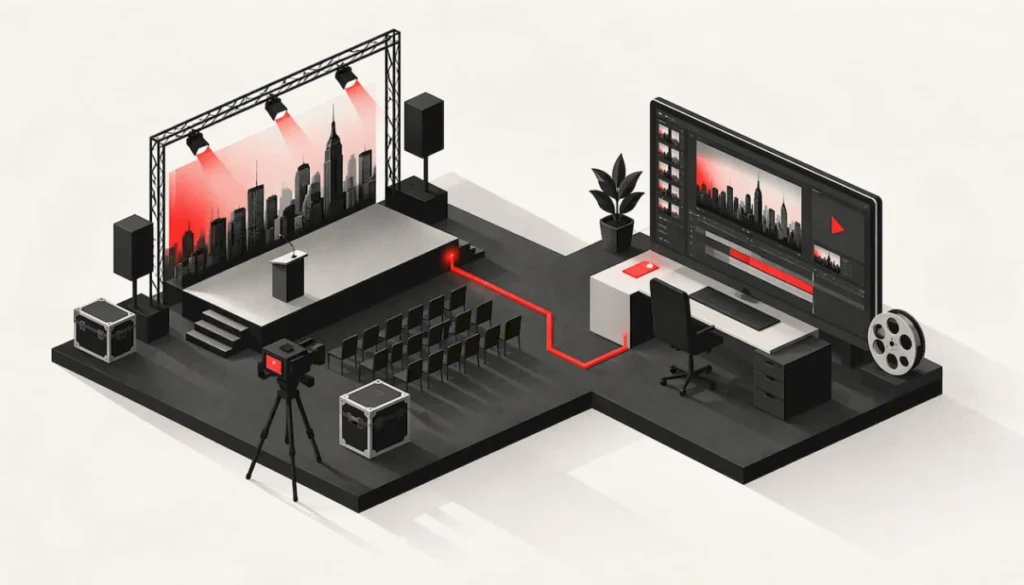

Event video production is the planning, filming and editing of video around a live event: the work before doors open, the capture on the day, and the edits and files delivered afterward. Done well, it turns a one-night conference, gala or product launch into assets your team can use for months. This guide explains what is included, how to plan it, what affects cost, and how to brief a team so you get footage you can use.
TL;DR
- Event video production covers three phases: pre-production (goals, shot lists, run-of-show), production (cameras, audio, interviews, B-roll) and post-production (editing, captions, delivery formats).
- Decide what the footage is for before anyone picks a camera. A recap for social, a session library and a donor video need different coverage.
- Cost depends on event length, number of rooms or tracks, crew size and how many deliverables you want. Contact us for a custom quote.
- In NYC, confirm venue rules, insurance and release paperwork early, since many venues set their own filming requirements.
- One in-house team handling staging, AV and capture means fewer handoffs and a cleaner result on the day.
Table of Contents
- What Event Video Production Actually Includes
- Services You Can Ask For
- Corporate Event Video Production: Start With the Use Case
- How to Plan Event Video Production, Step by Step
- NYC Venue Rules, Permits and Insurance
- Equipment and Crew: What to Expect
- Conference Recording Services: Capturing Multiple Sessions
- What Affects the Cost
- Deliverables and Turnaround
- Common Mistakes to Avoid
- Our Perspective
- Plan Your Event With One Team
- FAQ
- Sources
What Event Video Production Actually Includes
The term gets used loosely. Some providers mean a single videographer who films the event and hands over raw clips. Others mean a full production: a plan built around your goals, multi-camera coverage, professional audio, interviews, optional livestreaming, and a finished set of edited assets. D-MAK Productions draws this same distinction between event videography and the broader production process.
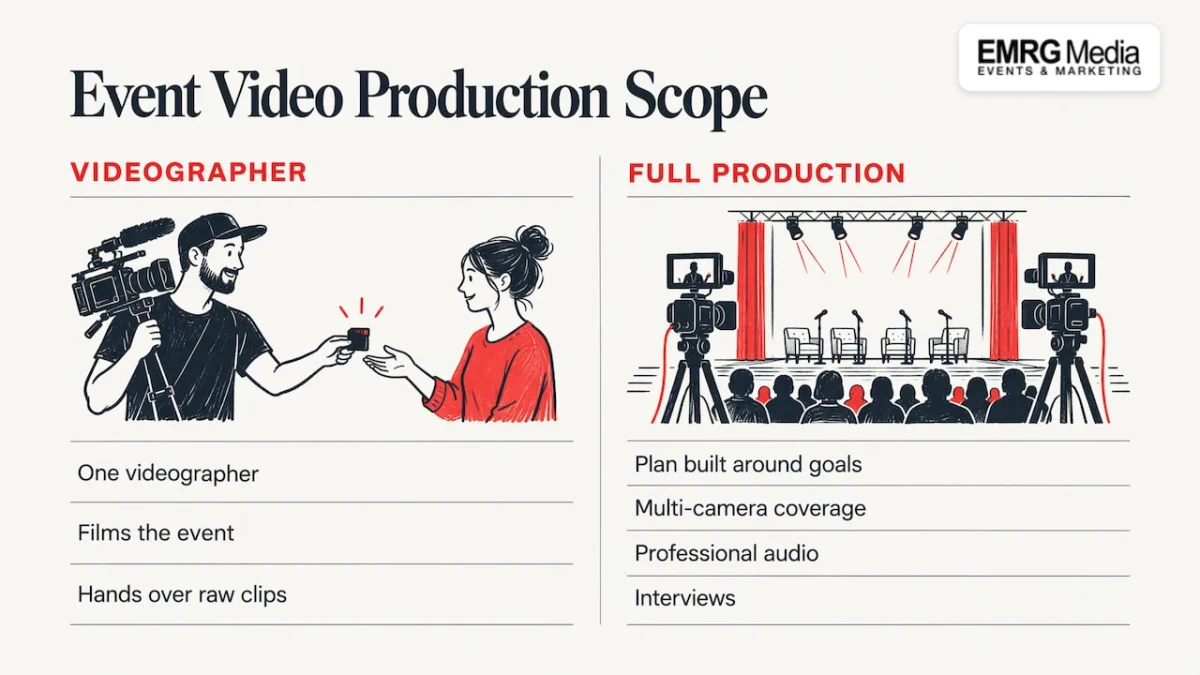
For a corporate planner, the broader meaning is the useful one. A video that sits at the end of a poorly planned event rarely has clean audio, the right speakers on camera or a clear purpose. A video planned alongside the event does.
In practice, the work breaks into three phases.
Pre-production
This is where most of the quality is decided. Typical pre-production tasks include:
- Defining the goal of the footage and the audiences who will see it
- Reviewing the run-of-show and marking the moments that must be captured
- Building a shot list and a camera plan
- Scouting the venue for camera positions, power, lighting and sightlines
- Planning crew roles and equipment
- Collecting speaker, talent and attendee releases
If you are planning a multi-day program, name one decision-maker on your side who can approve shot priorities quickly. Footage plans stall when three stakeholders each want a different priority.
Production on the day
Coverage may be multi-camera or single-camera, depending on the event. A typical setup pairs camera operators with a dedicated audio technician, and one operator often focuses on cutaways and B-roll: reactions, signage, the room filling up, hands on a product demo. On-site interviews with speakers, executives, sponsors or attendees are often recorded in a quiet corner or a simple interview setup, since they become the quotable material in a recap.
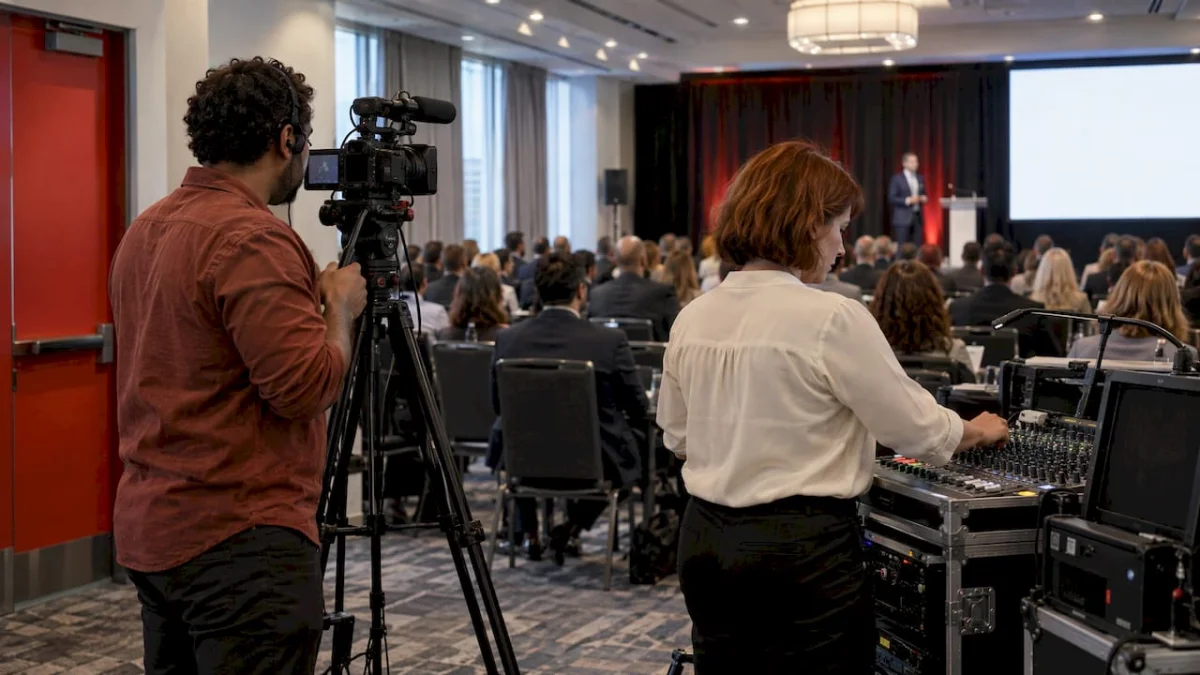
Audio deserves as much attention as picture. A clean feed from the venue’s mixing board, backed up by a separate recording, saves keynotes that would otherwise be ruined by a dropped wireless mic.
Post-production and delivery
After the event, editors assemble the footage, correct color, add graphics and music, caption the content and export versions for each channel. Good delivery also includes organization: clearly labeled files, session names and an archive you can find again next year.
Services You Can Ask For
Not every event needs every service. These are the common building blocks:
| Service | Best for | What you get |
|---|---|---|
| Keynote and session recording | Conferences, town halls, training days | Full-length recordings, often with branded intros and chapter markers |
| Multi-camera coverage | Galas, large ballrooms, product launches | Several angles cut together for a polished feel |
| Highlight or recap video | Almost every event | A short film for social, email and sales decks |
| Speaker clips and testimonials | Conferences and client events | Short cuts speakers can share on their own channels |
| Sponsor and exhibitor footage | Trade shows, sponsored conferences | Standalone clips that show sponsors their value |
| Donor and honoree tributes | Fundraisers and award dinners | Stand-alone moments for follow-up and stewardship |
| Livestreaming | Hybrid events, remote leadership audiences | A live feed alongside the in-room program |
| Private celebration coverage | Milestone parties, bar and bat mitzvahs | Candid moments and a keepsake edit |
If remote attendees matter to your program, read our primer on live streaming for events and our guide to virtual event production.
Corporate Event Video Production: Start With the Use Case
The most common mistake is booking coverage and deciding later what to do with it. Start from the other end. Ask who will watch the video and what you want them to do afterward.
- Marketing teams usually want a recap film, vertical social cuts, speaker soundbites and a few strong stills of the brand environment.
- HR and internal communications leaders often need session recordings for employees who could not attend, plus a leadership message that can live on the intranet.
- Sales and partnerships teams benefit from customer testimonials and sponsor footage they can use in outreach.
- Nonprofit teams need donor-facing stories, honoree moments and a recap that supports next year’s ask.
Recordings can also be reused as on-demand event libraries, training material, internal knowledge bases, accessibility resources and written summaries. Captions and transcripts extend that reach further, since many viewers watch without sound.
Write the intended uses at the top of the brief. Then every decision, from camera count to interview setup, can be tested against it.
How to Plan Event Video Production, Step by Step
- Set the objective. One sentence: “We want a two-minute recap for LinkedIn and full recordings of all keynote sessions for employees.”
- List the must-capture moments. CEO remarks, award presentation, product reveal, sponsor recognition, the closing toast. Mark them on the run-of-show with times.
- Choose coverage level. One camera suits a simple program. A stage with several speakers, a product demo and a reception usually calls for multiple angles and a separate audio plan.
- Walk the venue. Check camera positions, power, ambient light, house audio and any restricted areas. This is also when you learn the venue’s filming and load-in rules.
- Handle releases and permissions. Speaker releases, attendee notices and any talent agreements should be settled before the day, not during.
- Plan the edit. Decide the deliverables, formats, caption needs and approval rounds before filming, so no one is surprised afterward.
- Confirm delivery. Agree on file organization, how you will receive the files and who owns the archive.
It also helps to give the production team the event timeline at least a couple of weeks ahead, with shot priorities and access for restricted areas. Late briefs lead to missed moments.
NYC Venue Rules, Permits and Insurance
Filming rules vary by venue and city. Venues often set their own conditions: some ask for a completed location contract and a certificate of insurance naming the venue as additional insured, such as the Dayton Arcade’s photo and video policy. Public-space filming can require a permit with lead time, as the City of Long Beach film office explains for its own jurisdiction. Some large convention venues require union crew for certain cameras, as in the Moscone Center film-video crew guidelines in San Francisco. None of those rules apply to New York by default, but they show what to ask any NYC venue: Who must be on camera crew? What insurance is needed? Are there fees, load-in windows or restricted zones?
In NYC, confirm these details during venue selection, not after the contract is signed. Our guides to event liability insurance for NYC venues and the clauses to settle in a Q4 event contract cover the paperwork side. If you are still choosing a space, our venue sourcing team can factor camera positions and AV infrastructure into the search.
Equipment and Crew: What to Expect
A professional crew for a mid-sized corporate event is usually a small team of camera operators and an audio technician, with a lead who coordinates the day. Typical gear includes:
- A primary camera and a backup, with a range of lenses from wide to telephoto
- Lavalier and handheld microphones, an external recorder and headphones for monitoring
- LED lighting where the venue’s light is not enough, with stands and diffusion
- Tripods, gimbals or stabilizers for moving shots
- Spare batteries, memory cards and backup drives
The important point is redundancy. Backup recording on critical sources, such as the keynote stage, protects you from the one failure you cannot reshoot.
Lighting and sound shape the video as much as the camera does. The same stage that looks stunning to a live audience can read flat or harsh on screen unless the lighting is designed with capture in mind. That is why coordinating video with staging, lighting and AV matters. Our articles on AV production services and corporate AV productions explain how those pieces fit together.
Conference Recording Services: Capturing Multiple Sessions
Conference recording is a different challenge from filming a single ballroom event. Multiple rooms run at once, speakers bring their own slides, and attendees expect to find sessions later.
A solid conference recording plan usually covers:
- Video of presenters and stages with consistent framing
- Clean audio from the house system or dedicated sources
- Slides and media captured in sync with each session
- Backup recording for critical sources
- Consistent session labeling so the library is searchable afterward
For breakouts, decide early which rooms are recorded in full and which receive lighter coverage. Many conferences record the main stage and key tracks in full, then package sponsor and exhibitor footage separately so sponsors receive their own reel. If your conference is run by our team, the recording plan is built into the show flow rather than layered on later. See our conference planning and trade show management services for how we approach multi-room programs.
What Affects the Cost
Event video production is priced per project, and no two scopes look alike. The factors that move the number most are:
- Event length: a two-hour reception versus a multi-day conference
- Rooms and tracks: concurrent sessions need more cameras, operators and audio feeds
- Crew size: driven by the number of angles and the complexity of the program
- Deliverables: one recap film versus a recap, session library, social cuts, sponsor reels and captioning
- Turnaround: same-day or rush edits require editors working during the event
- Livestreaming: adds encoding, bandwidth planning and monitoring
Because the variables are so wide, published ballpark figures are rarely useful for your event. The better approach is to write the brief first, then request a scoped quote. Contact us for a custom quote, and we will build it around your goals, venue and audience.
Deliverables and Turnaround
Before filming, agree on the deliverables list in writing. Common items include:
- A highlight or recap film, often a few minutes long
- Full keynote and session recordings, sometimes with branded intros and chapter markers
- Speaker clips and testimonial edits
- Vertical and square cuts with captions for social platforms
- Sponsor and exhibitor footage
- An organized archive of footage and files
Turnaround varies with scope. Quick social cuts can be ready within days, while a polished recap with graphics and interviews typically takes longer, and a multi-day conference package longer still. If you need something while the event is still fresh, such as a clip for the closing session or the next morning’s social feed, say so in the brief so an editor is scheduled for it.
Common Mistakes to Avoid
- Booking without a purpose. Without a goal, you collect footage nobody uses.
- Ignoring audio. Viewers forgive soft focus before they forgive muffled speech.
- Leaving releases to the day. Speaker and talent paperwork is easier before the event.
- Skipping the venue walk. Camera positions and power access are far easier to solve in advance.
- Treating video as separate from the event design. Lighting, staging and sightlines affect what the camera sees.
- Forgetting the archive. A well-labeled library is worth more a year later than a folder of unnamed clips.
Our Perspective
We have produced more than 1,100 events in New York City since 2001, and the pattern we see most often is simple: video goes wrong where handoffs happen.
When the planner, the AV vendor, the lighting designer and the camera crew are four separate companies, nobody owns the whole picture. The camera operator learns about the stage change at load-in. The audio feed is requested after the sound check. The run-of-show reaches the editor with the moments already past.
That is why we run events with one in-house team and one point of contact, with no subcontractor handoffs. Staging, technical AV, lighting and logistics are planned together, so capture is considered while the room is designed, not after. In our view, the best event video starts as an event design decision.
If you are weighing options, ask how video fits the run-of-show, who is responsible when something changes on site, and who you call at 6 p.m. the night before. Those answers tell you more than any equipment list.
EMRG
Plan Your Event With One Team
If you are planning a conference, gala, product launch or fundraiser in NYC and want the recording planned alongside the production, our event production services bring AV, staging, lighting, hybrid and virtual formats together under one in-house team.
For corporate programs, see our corporate events services, and for a broader view of how production fits the whole project, read our guide to what event production is. Tell us what the footage needs to do, and contact us for a custom quote.
FAQ
What does an event videographer do?
An event videographer operates cameras and audio equipment, captures the key moments and behind-the-scenes B-roll, and often edits the footage into finished pieces. On larger events, the videographer works with a content or marketing lead so the final cuts match the brief.
What is the difference between event videography and event video production?
Event videography usually means filming the event and delivering raw footage or a simple edit. Event video production is broader: it includes planning, shot lists, multi-camera setups, venue coordination, professional audio, interviews, livestreaming and a full post-production package of recaps, captions and social cuts.
How much does event video production cost?
It depends on event length, number of rooms, crew size and the deliverables you want. A short recap of one evening and a multi-day conference library are very different projects. Contact us for a custom quote based on your event.
How far ahead should I book?
Book as soon as the date and venue are set, and share the run-of-show and shot priorities at least a couple of weeks before the event. Early involvement lets the team scout the venue, plan audio and handle releases without rushing.
Can recordings be used after the event?
Yes. Recordings can become on-demand libraries, training material, internal knowledge resources, captioned accessibility content and social campaigns. Planning those uses before filming helps the team capture the right coverage.
Sources
- Event Video Production Cost Guide, D-MAK Productions
- Photo/Video Policy, The Dayton Arcade
- About Filming, City of Long Beach Special Events & Film Office
- Film-Video Crew Union Guidelines, Moscone Center